Skip to content
cloudlog.aero
Try for free
cloudlog.aero

THE DIGITAL PILOT LOGBOOK

Your logbook keeps itself.

EASA and FAA compliant. For pilots, clubs and flight schools — with automatic sync from Aircraft Info Desk and Vereinsflieger.

  • EASA and FAA compliant
  • 30 days free
  • No credit card required
  • German data centres

Flights arrive automatically from

The problem

Where paper logbooks reach their limits

Seven weaknesses of paper — and how cloudlog.aero solves them.

  • Sound familiar

    One book. One spilled coffee. Fifteen years of flying gone.

    How we solve it

    Your flights sit encrypted in German data centres, backed up and available on every device — web, iPhone, Android. Paper becomes your printout, not your original.

  • Sound familiar

    Totals by hand — and someone checks them at your proficiency check.

    How we solve it

    Every time and carry-over value is totalled automatically. Each change is logged at attribute level and can be reviewed at any time — exactly the audit trail authorities require for digital logbooks.

  • Sound familiar

    "Am I actually still current on that type?"

    How we solve it

    The Cockpit shows the 90-day rule per type rating: landings flown against landings required. Plus freely definable warning rules and expiry alerts for licences, medicals and ratings.

  • Sound familiar

    Your instructor's signature is missing — and has been for three months.

    How we solve it

    The student sends a signature request, the instructor signs via QR code on their own phone. Until then cloudlog.aero marks the training flight as incomplete rather than quietly waving it through.

  • Sound familiar

    The same flight, captured four times: tech log, Vereinsflieger, AID — and then your own logbook.

    How we solve it

    Connect once, never retype again. Flights from Aircraft Info Desk, Vereinsflieger and Charterware arrive automatically, crew and launch method included.

  • Sound familiar

    Switching would mean retyping ten years of logbook.

    How we solve it

    Twelve importers for other formats — from SkyDemon through LogTen Pro to CrewLounge. Whatever is already totalled goes in as a carry-over value instead of line by line.

  • Sound familiar

    "Is my printout even FCL.050 compliant?"

    How we solve it

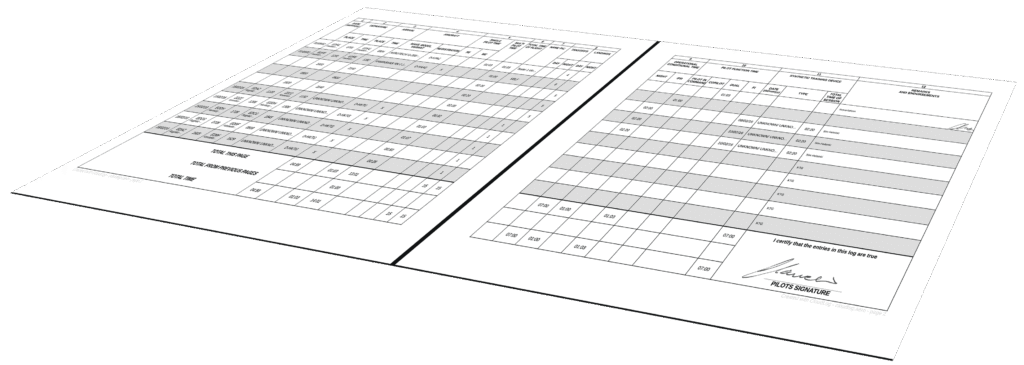
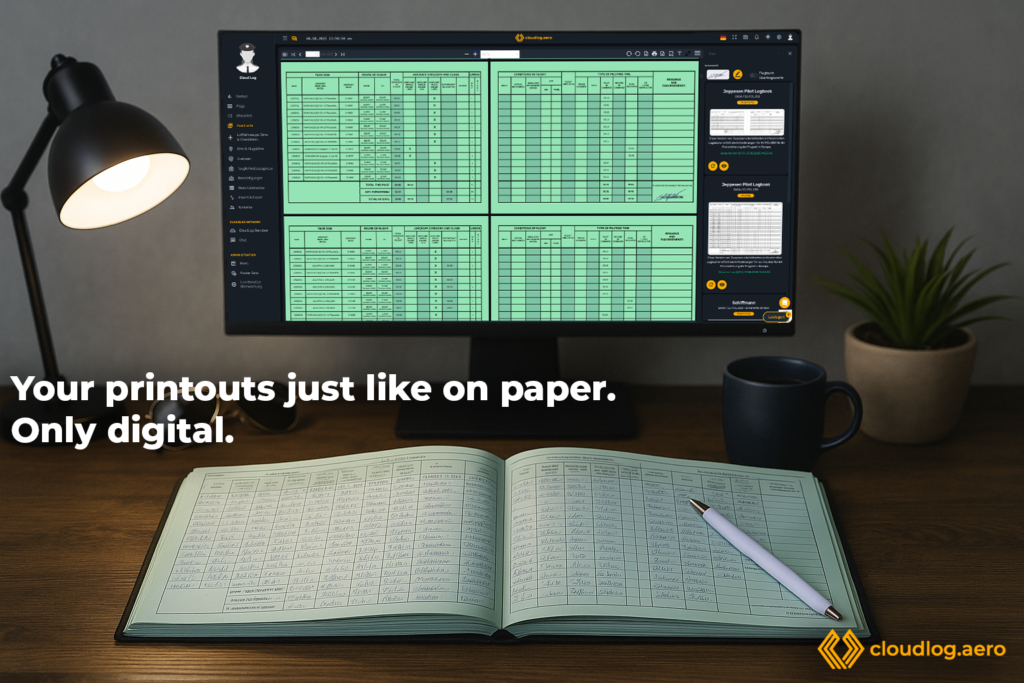
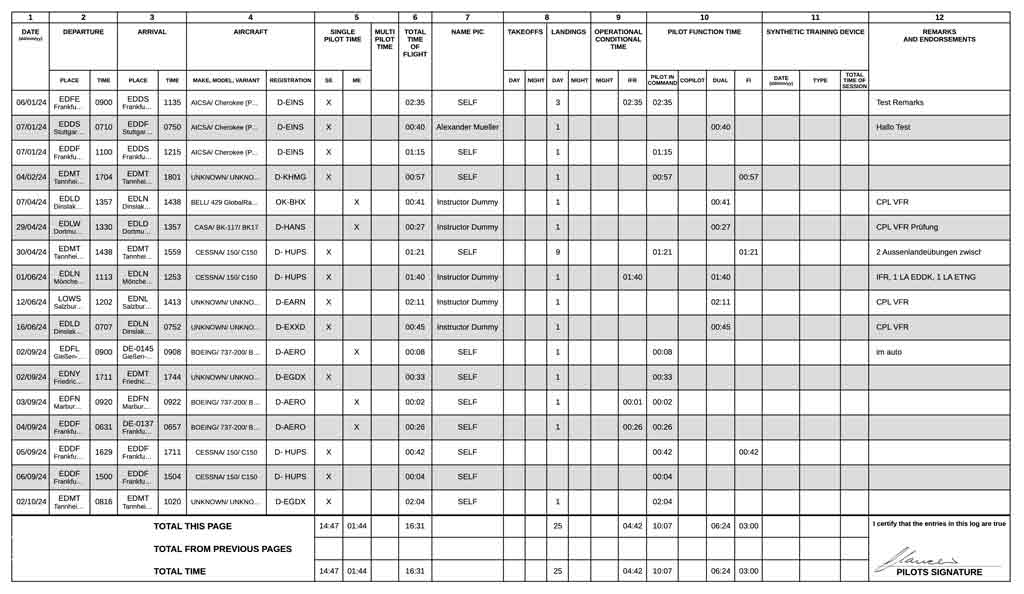
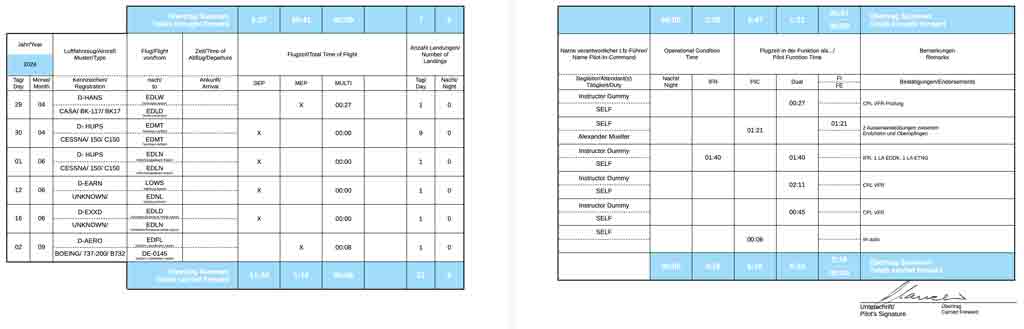
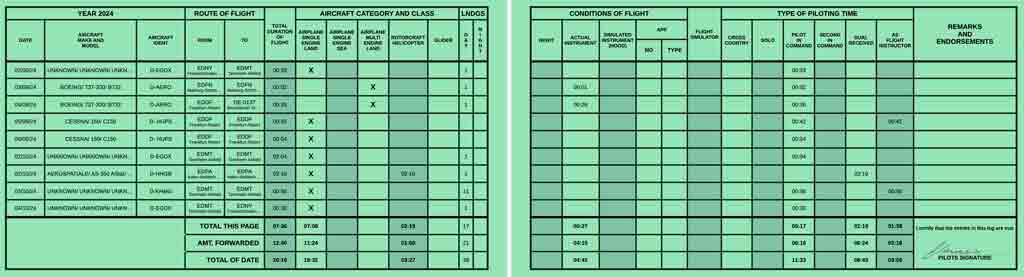
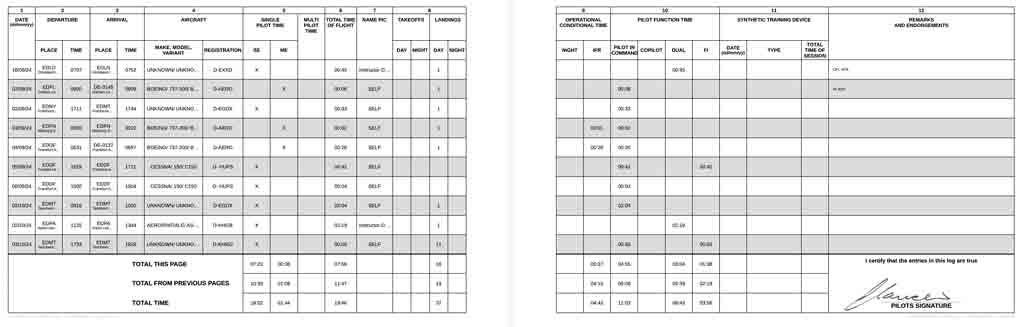
    Five genuine paper layouts as PDF: Jeppesen EASA single- and double-sided, Jeppesen FAA, Schiffmann and Schiffmann extended with SET and MET. Filtered, signed, ready to print.

Three paths

How do you fly?

cloudlog.aero adapts to three very different paths — and combines them just as well.

For pilots

The logbook that adapts to you

Your hours, your fields, your printout.

PPL, CPL, glider or helicopter: cloudlog.aero adapts to how you fly, not the other way round. Every field can be shown, hidden, renamed or supplemented with your own — and what comes out is a printout you can hand over without a second thought.

  • EASA FCL.050 and FAA compliant
  • Five genuine paper layouts as PDF
  • 90-day rule and expiry warnings in the Cockpit
  • Carry-over values for the move from paper
  • iOS and Android app, works offline
Explore for pilots
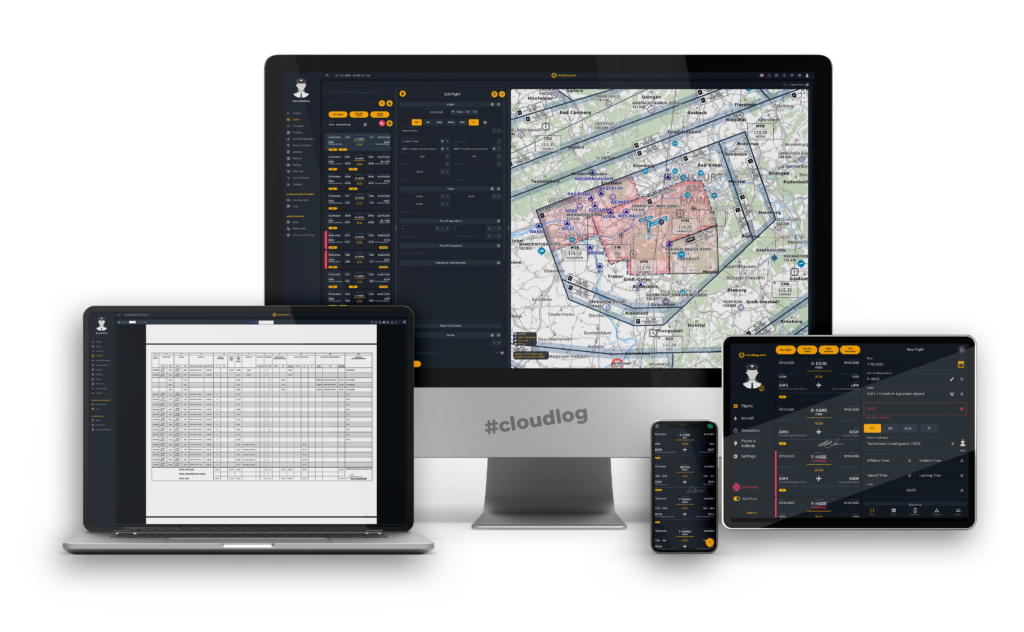
cloudlog.aero on monitor, laptop, tablet and phone — flight editor, chart and the finished printout

For clubs and flight schools

One team. Your logbook, no gaps in the record.

The end of paperwork in flight training.

Instructors chase signatures, students end up with gaps in their records, and the club maintains every flight twice. cloudlog.aero TEAMS brings members, roles and signatures into one place — and lets a flight count as valid only when it really is.

  • Team code, join approval and member management
  • Digital instructor signature via QR code on a phone
  • Instructors, students and examiners with licence numbers
  • Share flights instead of entering them twice
  • Team flyer as PDF with a QR code for recruiting
Explore TEAMS
  1. 1

    Student requests

    A signature request goes to the instructor straight from the training flight.

  2. 2

    Instructor scans

    Link or QR code — the instructor signs with a finger on their own device.

  3. 3

    Flight is valid

    Until then the training flight stays marked incomplete rather than quietly valid.

AID and Vereinsflieger

Your flight is already recorded. Do not type it again.

Connect once. From then on the logbook fills itself.

If you book through Aircraft Info Desk or keep records in Vereinsflieger, the data already exists. cloudlog.aero fetches it — crew, launch method and, for Vereinsflieger, automatically calculated EASA night time included.

  • Aircraft Info Desk: paste an API key, done
  • Vereinsflieger: connect your account (beta)
  • Charterware: connect your pilot key
  • SeRo Systems: flights including tracks, in development
  • Twelve importers for moving from another logbook
Explore integrations
  • Aircraft Info Desk
  • Vereinsflieger
  • Charterware

cloudlog.aero

  • EASA/FAA PDF
  • App offline
  • Cockpit
Once connected, the path from left to right runs without you.

Partners

Who sends us flights

Four systems your flights arrive from automatically. Connect once, then it runs.

Why instructors made the switch

What stands out is the seamless integration with our internal booking system AID. As soon as flights are entered there, they are transferred into Cloudlog automatically within seconds. That saves an enormous amount of time and keeps errors to a minimum.
Domenico DanzaFlight instructor, Flightschool Hamburg
Cloudlog simply takes work off my plate and I can rely on it. Thanks to the system integration with Aircraft Info Desk, flights are entered into my personal logbook automatically. With the various filters I can respond to any required proof straight away, EASA or FAA — usually right from my phone.
Robby JanschCommercial pilot and flight instructor, HELI NRW

Features

More than a logbook

Over 78,000 airfields, more than 10,000 ICAO aircraft types — and the rest adapts to you.

Logging flights

customFields
Show, hide or rename every field and add your own — five each for times, durations, numbers, switches and dropdowns.
strip
Two views: a compact strip view, or a table modelled on a handwritten logbook.
attachments
Attach photos and documents to flights and aircraft. Geotagged images appear on the map.
suggestions
Recently used aircraft and airfields are suggested as you log.
shortcuts
Keyboard shortcuts for day, month, pilot role and counters — logging without the mouse.

Records and authorities

layouts
Jeppesen EASA single- and double-sided, Jeppesen FAA, Schiffmann and Schiffmann extended with SET and MET.
traces
Every change is logged at attribute level and stays available for review.
signature
Sign digitally by file, mouse or finger. Instructors sign via QR code on their phone.
validation
Overlapping flights and inconsistent times are caught before they reach your printout.
carryover
Carry-over values from your paper logbook can be included in every total.

Staying on top

cockpit
Flight times, time distribution, types and registrations analysed at a glance.
ninetyDays
90-day rule per type rating: landings flown against landings required.
filters
Build and save your own filters — for lists, analysis and separate logbook printouts.
warnings
Warning rules built on a filter, such as "fewer than 10 night hours in 90 days on this type".
expiry
Licences, medical certificates and ratings with expiry dates and advance warning.

Flight network

adsb
The flight network combines position data from ADS-B and multilateration networks — Flightradar24 and SeRo — and calculates individual flights from them as accurately as possible.
trackImport
Find your flight by registration or Mode S address and take it into your logbook together with its track. Requires a Mode S transponder and coverage along the route.
map3d
The imported track then sits on the map and on the 3D globe — altitude, speed and heading included.
cfn
In the cloudlog.aero Flight Network you find flights others have already logged and take them over in one click, track included.
masterFlight
Each real-world flight is recognised once and de-duplicated. Flying as a pair, the second pilot gets the same track without searching again.
photoMap
Geotagged photos appear on the map exactly where they were taken.

Data in and out

sync
Changes appear on every device in real time. The app keeps working offline.
importers
Twelve importers for other logbooks, plus ForeFlight tracks.
conflict
The conflict resolver settles duplicates from imports and integrations instead of silently accepting them.
export
Export flights by filter, download them or send them by email.
airports
More than 78,000 airfields and over 10,000 ICAO aircraft types, curated by the community.

Fleet and context

aircraft
Aircraft with registration, type, Mode-S address and hourly rate.
simulators
Record and analyse flight simulators and FSTDs separately.
checklists
Build your own checklists and work through them in a few clicks before departure.
maps
Flights in 2D on Mapbox and in 3D on the Cesium globe.
contacts
Contacts, chat and flight sharing with students and instructors.

App

Works where there is no signal

The iOS and Android app keeps a complete local copy of your data. Log flights, work through checklists, collect signatures — offline. As soon as you have reception again, everything syncs.

  • Log offline, sync automatically
  • Signature requests on the go
  • Cockpit and printouts on your phone
Download cloudlog.aero on the App StoreGet cloudlog.aero on Google Play

Included in every membership at no extra cost.

The cloudlog.aero app on iPhone while logging a flight in night view

Pricing

One price. No lock-in.

Free and fully featured for 30 days, no payment details required. Cancel monthly after that.

Essential

The essentials for your logbook.

€3.99per month

  • EASA FCL.050 compliant
  • More than 78,000 airfields worldwide
  • More than 10,000 ICAO aircraft types
  • All PDF layouts: Jeppesen EASA, Jeppesen FAA, Schiffmann
  • All importers for moving from your old logbook
  • iOS and Android app included
  • Cancel monthly
Try for free
Most popular

Pro

One price, every feature.

€7.90per month

  • Everything in Essential
  • Flight network: import flights and tracks from ADS-B and MLAT
  • Flight track on the map and on the 3D globe
  • Licences, medicals and ratings with expiry warnings
  • Checklists and the cloudlog.aero network
  • Partner integrations: Aircraft Info Desk, Charterware, Vereinsflieger
  • Premium support included
Try for free

Aircraft Info Desk users pay €6.90 instead of €7.90.

TEAMS

For clubs and flight schools from five members.

€4.99per member and month

  • Everything in Pro
  • Team code and join approval
  • Digital instructor signatures
  • Team flyer with a QR code for recruiting
  • Minimum of five members
Request TEAMS

We get in touch and set your team up together.

All prices incl. VAT.

Frequently asked questions

Is cloudlog.aero EASA and FAA compliant?

Yes. Printouts follow EASA FCL.050 and the FAA requirements, and every change to a flight is logged at attribute level — the audit trail authorities require for digital logbooks. Five layouts are available: Jeppesen EASA single- and double-sided, Jeppesen FAA, Schiffmann and Schiffmann extended with SET and MET.

Do I have to retype my paper logbook?

No. You enter your existing totals once as carry-over values and cloudlog.aero builds on them. Coming from another digital logbook, one of twelve importers takes your flights across — among them SkyDemon, LogTen Pro, CrewLounge, FlightLogger and Vereinsflieger.

What does cloudlog.aero cost for a club or flight school?

TEAMS costs €4.99 per member per month and requires at least five members. It includes the full feature set plus team administration, digital instructor signatures and the team flyer for recruiting. Write to us and we will set your team up together.

How do my flights get from AID or Vereinsflieger into my logbook?

For Aircraft Info Desk you generate an API key in cloudlog.aero and paste it into AID under "My Profile → Core Data". For Vereinsflieger you connect your account with username, password and club ID. New flights then arrive automatically — the Vereinsflieger integration is currently in beta.

Does the app work without a connection?

Yes. The iOS and Android app keeps a complete local copy of your data. You can log flights offline; everything syncs automatically once you are back online. The app is included in every membership at no extra cost.

How long am I tied in?

You are not. Every membership can be cancelled monthly. The first 30 days are free and fully featured, with no payment details required.

Where is my data stored?

In German data centres subject to the GDPR. Data is backed up and access is monitored. Your flights are yours — you can export them at any time or delete your account yourself.

How does my instructor sign a training flight?

You send a signature request straight from the flight. Your instructor receives a link or scans a QR code and signs with a finger on their own device. Until the signature arrives, cloudlog.aero marks the training flight as incomplete. If a signed flight is edited afterwards, the signature is voided only once you explicitly confirm that.

What is the flight network and what do I need for it?

The flight network combines position data from ADS-B and multilateration networks — Flightradar24 and SeRo — and calculates individual flights from them as accurately as possible. You find your flight by registration or Mode S address and take it into your logbook together with its track, which then sits on the map and on the 3D globe. Two prerequisites: your aircraft needs a Mode S transponder, and there has to have been reception along the route. Over unpopulated terrain or deep in a valley a track can be patchy or missing entirely. The flight network is part of Pro.

Your next flight writes itself into the book.

30 days free, every feature, no payment details.