

Integrations
Your flight is already recorded. Do not type it again.
If you book through Aircraft Info Desk or keep records in Vereinsflieger, the data already exists. cloudlog.aero fetches it — connect once, then it runs.
- Aircraft Info Desk
- Vereinsflieger
- Charterware
cloudlog.aero
- EASA/FAA PDF
- App offline
- Cockpit

Aircraft Info Desk
AvailableBooked in AID, booked in your logbook.
AID is the management system used by many flight schools and clubs. Once a flight is entered there it appears in your cloudlog.aero seconds later — with PIC, instructor, student, landings and, where present, the instructor signature.
- 1Generate a personal API key in cloudlog.aero
- 2Paste it into AID under "My Profile → Core Data"
- 3Done — flights now arrive automatically
- Vereinsflieger.de
Vereinsflieger.de
BetaThe club flight lands in your personal logbook.
Connect your Vereinsflieger account and cloudlog.aero fetches your flights — your full history once, then continuously. Launch method (self-launch, winch, aero tow) carries over, and night time is calculated from the destination coordinates using the EASA definition.
- 1Provide username, password and club ID (CID)
- 2Explicitly confirm the data transfer
- 3Your history is imported, new flights follow automatically

Charterware
AvailableYour pilot key keeps the record.
Charterware records flights directly in the aircraft. Connect your chip ID to cloudlog.aero, confirm the data transfer by email, and recorded flights land in your logbook automatically.
- 1Enter your Charterware chip ID in cloudlog.aero
- 2Confirm the data transfer in the email from Charterware
- 3Recorded flights arrive automatically

SeRo Systems
In developmentFlight and track, straight from the avionics.
Together with SeRo Systems we are building an integration that delivers flights including the recorded track from SeRo avionics systems. This integration is still in development.
After connecting
The same flight, everywhere
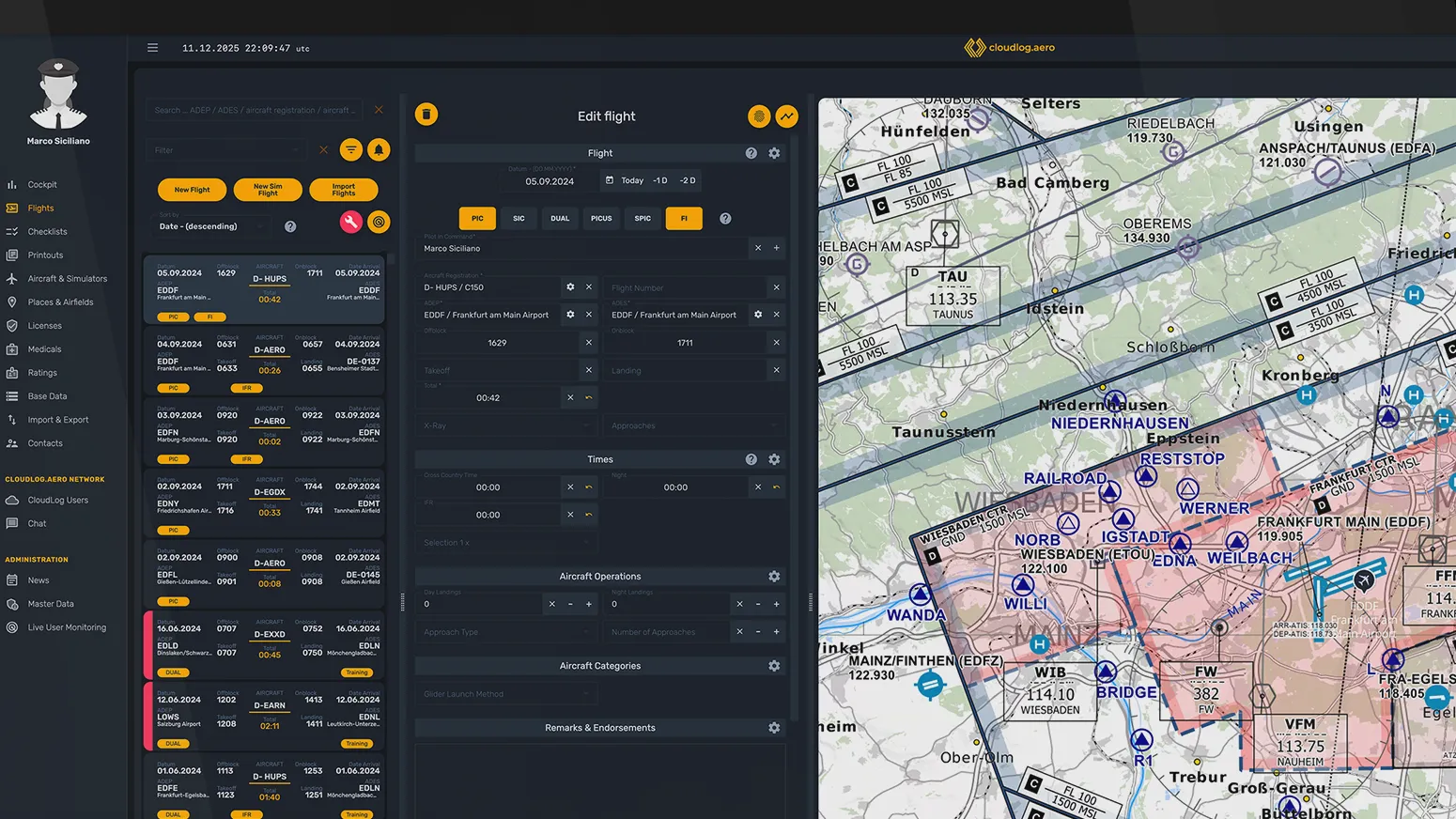
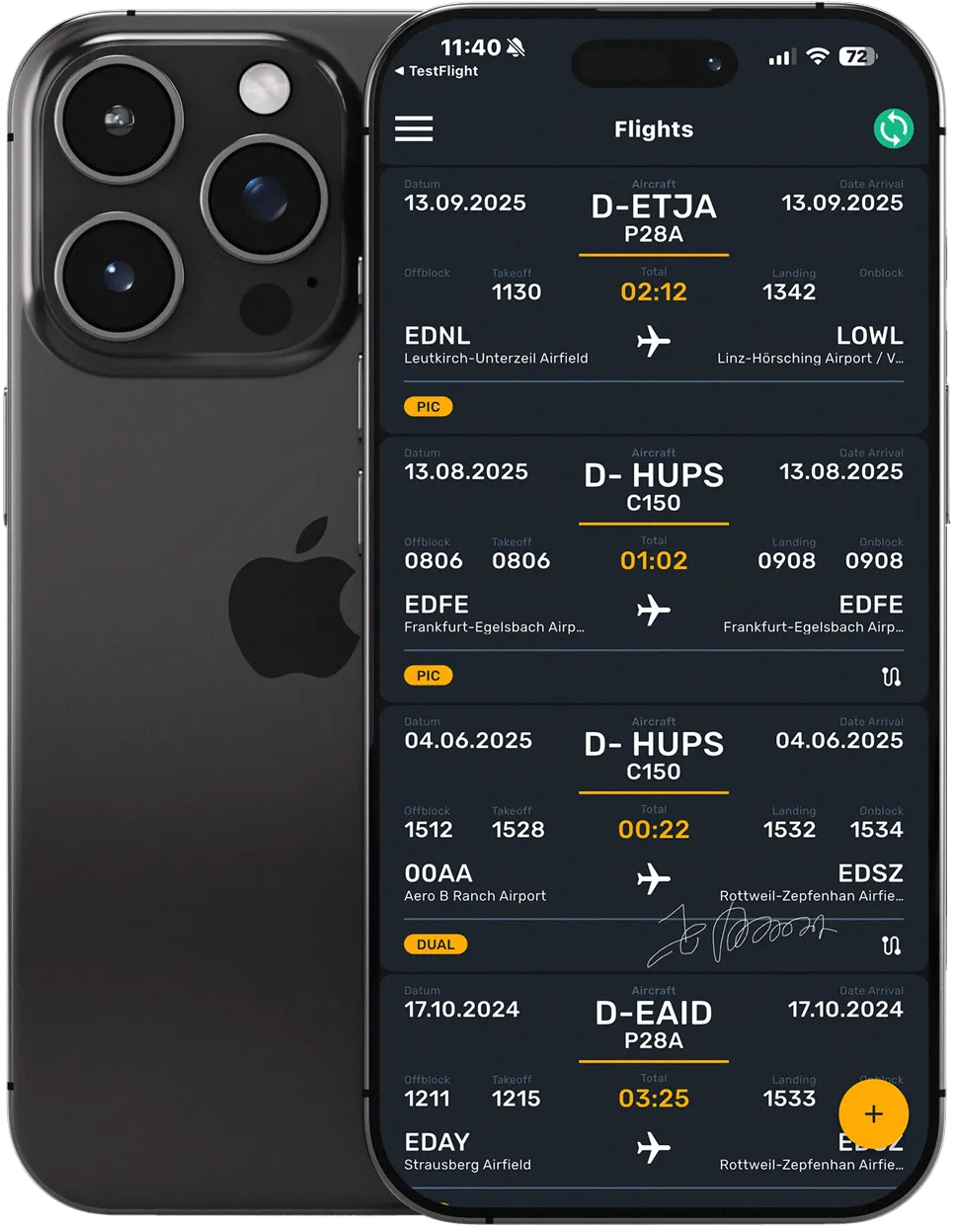
Whatever arrives from Aircraft Info Desk, Vereinsflieger or Charterware shows up on the web and on your phone — with crew, times and, where present, the instructor signature. Nothing to retype, nothing to reconcile.
Switch without retyping
Coming from another digital logbook, an importer takes your flights across. The format is detected automatically; if detection is off, you pick the source yourself.
- SkyDemon
- LogTen Pro
- CrewLounge
- FlightLogger
- Fly Go
- B4Takeoff
- Pilot Pro
- Simple Flightlog
- Aircraft Info Desk
MCC Pilot Log is supported under its current name, CrewLounge. Anything already totalled goes in as a carry-over value instead.
Flight tracks
Track files can be uploaded directly and assigned to a flight.
- ForeFlight
What happens when data disagrees?
Incoming flights from imports and integrations run through strict validity checks — overlapping times, for instance, are detected rather than silently accepted. Where a contradiction remains, it goes to the conflict resolver, where you decide which version stands.
Discount
Cheaper through specialist retailers
Two partners issue discounted twelve-month activation codes for cloudlog.aero. You redeem the code in your account under "Redeem code".

Eisenschmidt
Aviation supplies retailer. Issues discounted twelve-month activation codes for cloudlog.aero.
Visit shop ↗
Aeroshop24
Pilot supplies and accessories. Also offers discounted twelve-month activation codes.
Visit shop ↗
Frequently asked questions
Do I have to retype my paper logbook?
No. You enter your existing totals once as carry-over values and cloudlog.aero builds on them. Coming from another digital logbook, one of twelve importers takes your flights across — among them SkyDemon, LogTen Pro, CrewLounge, FlightLogger and Vereinsflieger.
How do my flights get from AID or Vereinsflieger into my logbook?
For Aircraft Info Desk you generate an API key in cloudlog.aero and paste it into AID under "My Profile → Core Data". For Vereinsflieger you connect your account with username, password and club ID. New flights then arrive automatically — the Vereinsflieger integration is currently in beta.
Where is my data stored?
In German data centres subject to the GDPR. Data is backed up and access is monitored. Your flights are yours — you can export them at any time or delete your account yourself.
Your next flight writes itself into the book.
30 days free, every feature, no payment details.